Description
There was an update to QlikView that broke the date control on the form. If the user tries to click the date controls the drop down closes and they are unable to set a date.
Solution
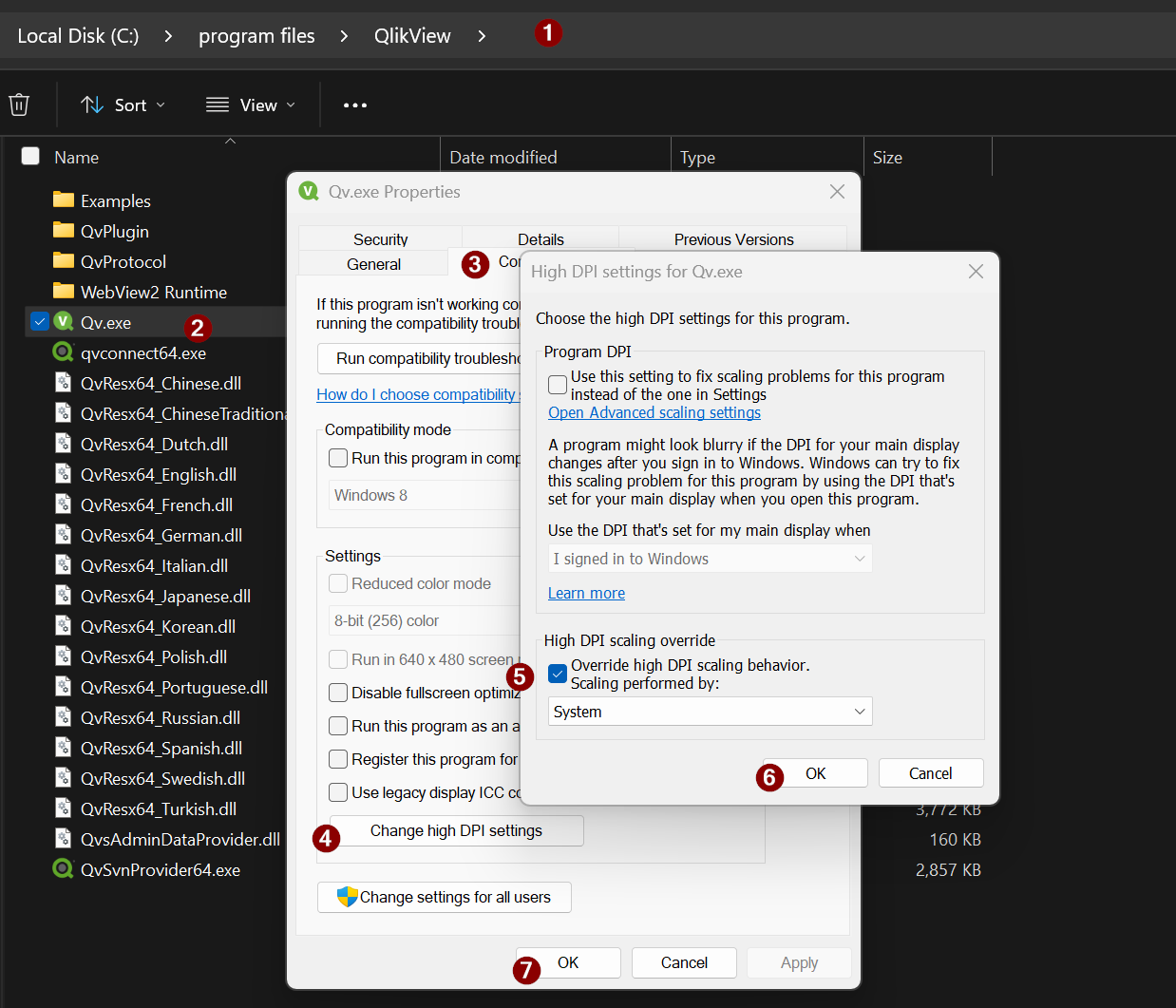
- Go to Path "C:\Program Files\QlikView"
- Open QV Properties (right click on QV application)
- Go to tab "Compatibility"
- Click on "Change High DPI Setting"
- Change the "High DPI Scaling override" option from 'System(Enhanced)' to 'System' or 'Application'.
- Apply the change.